To change your pronouns, login at https://selfservice.vsc.edu/
Click on your username in the top right, and click User Profile

Click Edit Personal Identity

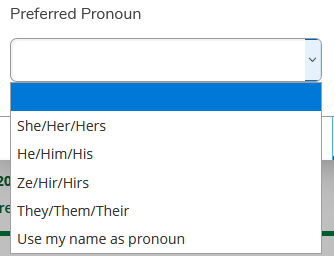
Select your Pronoun (or none), and click Save
The new selection will appear in Canvas in 24 hours. If you have trouble, please put in a ticket at http://servicedesk.vsc.edu.